In the previous article i have deeply explained how to install Windows Preinstallation environment (Windows PE) install why this is required for the MCM server including the installation details. In the current page i will be explaining step by step installation of Windows Server Update Server in short WSUS.
Because ConfigManagar can not synchronize updates from the Microsoft directly. it requires WSUS API to pull the updates from the upstream which mean Microsoft update site. Because SCCM needs to update its Update Category and metadata, this works as bridge between MCM and Microsoft. This also assists SCM to create Software Update group and update deployment.
First MCM use WSUS to synchronized update from Microsoft to MCM console, Updates its categories, Filter it its and reflects in MCM console. after downloading metadata from Microsoft, MCM will handle downloading patches, storing libraries for content, distribute the patches to distribution point once assigned to DP.
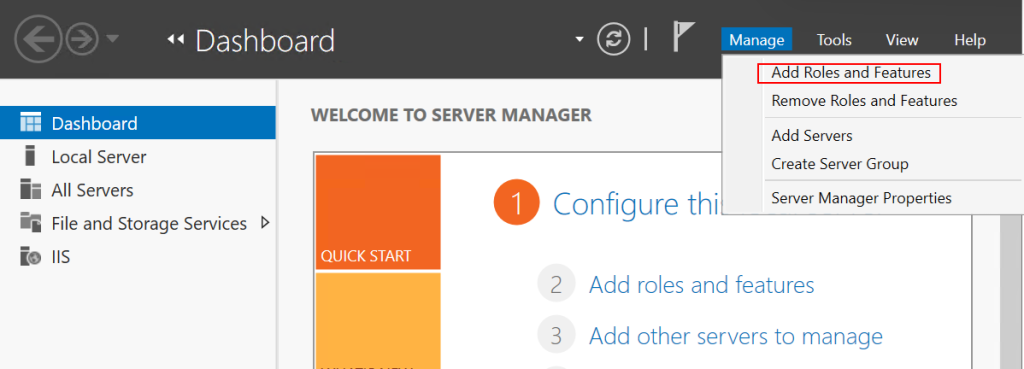
In MCM server first of all installing role of WSUS is required. Open Server Manager -> Manage -> Add Roles and Features
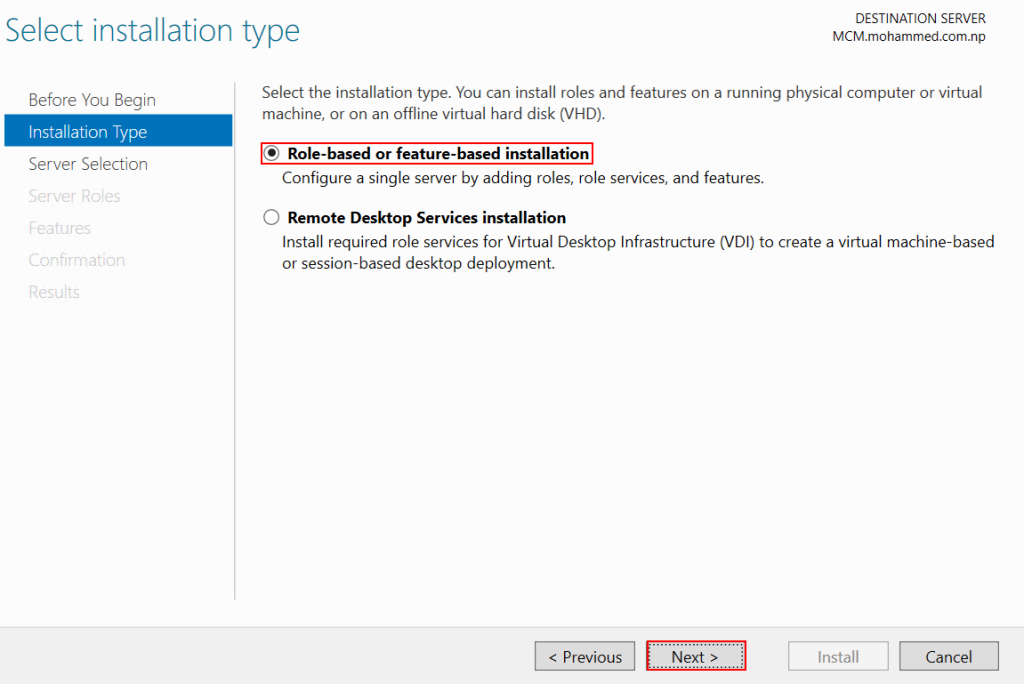
On Installation Type Page, Choose Role-based or feature-based installation in the destination server.
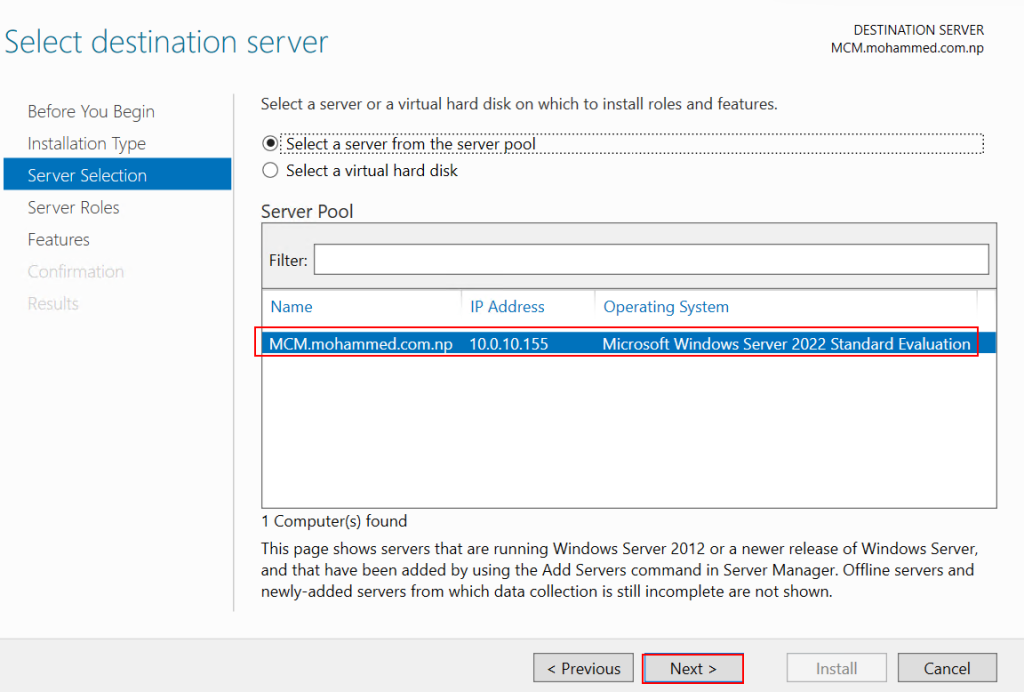
In the server Selection page, There are only one server in the pool, hence click Next for further setup.
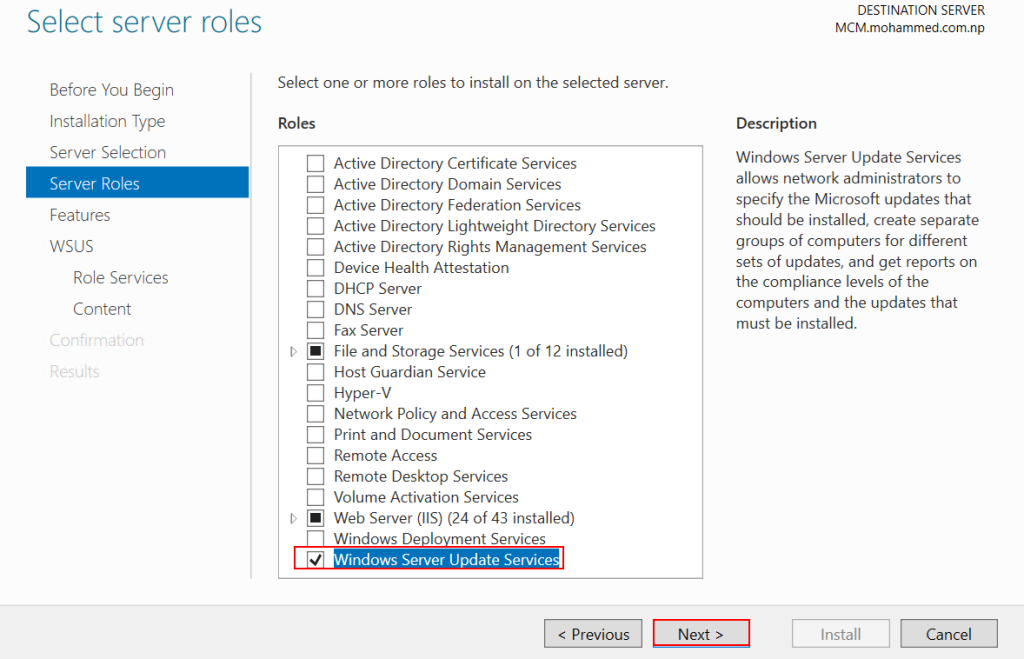
On server Roles page, there are bunch of roles available in the role list choose windows server update service. and Next
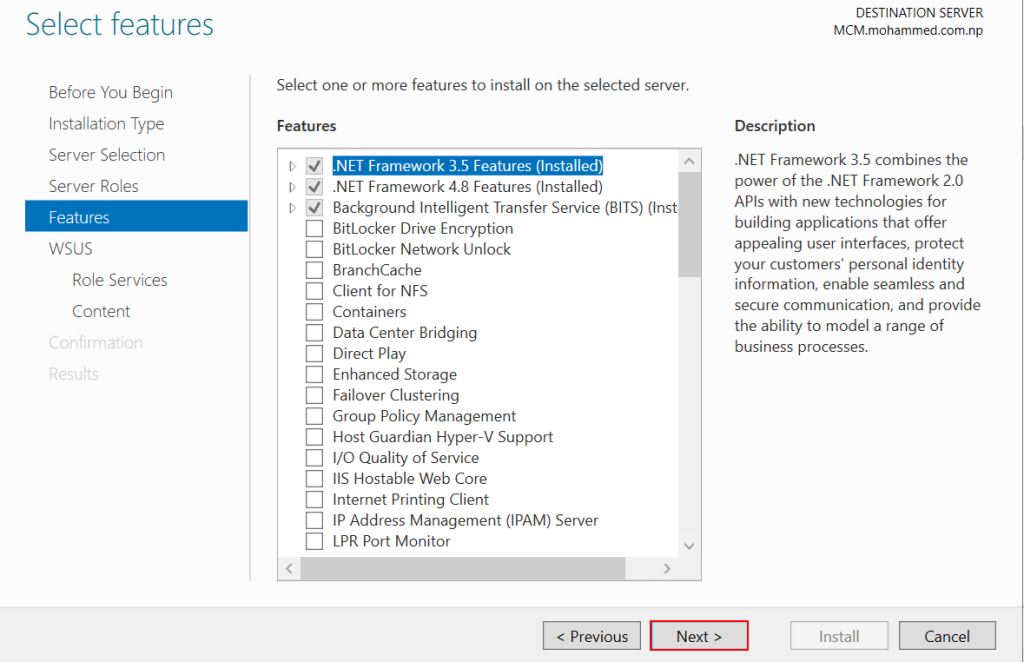
on Features tab, there no any specific requirement currently need to installed in the MCM server. just lick on Next.
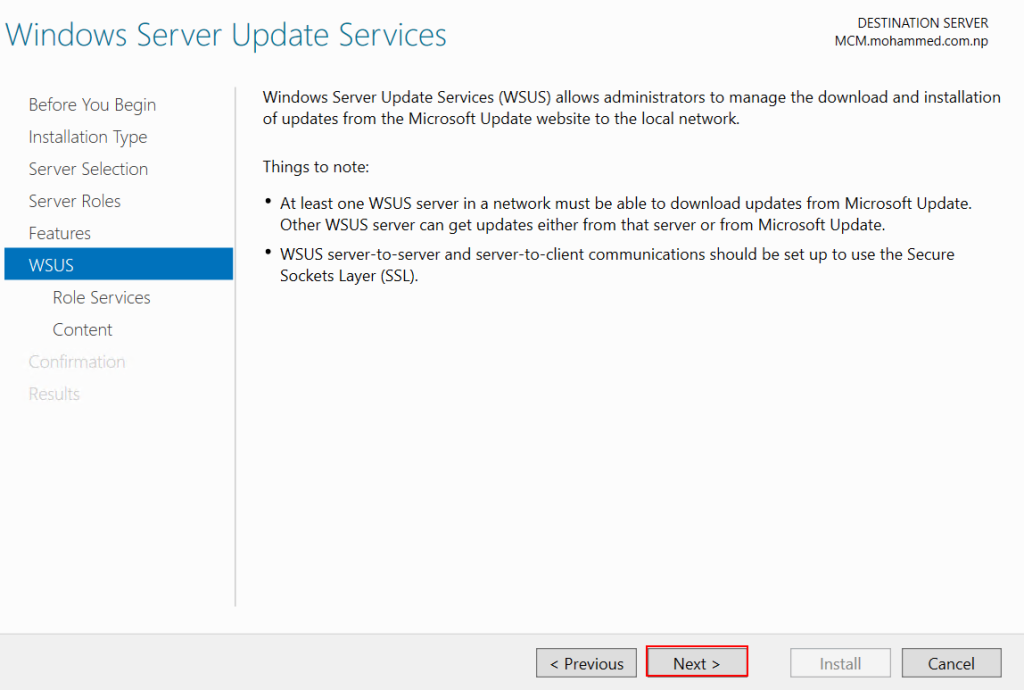
On WSUS page, there nothing required to do just click on next.
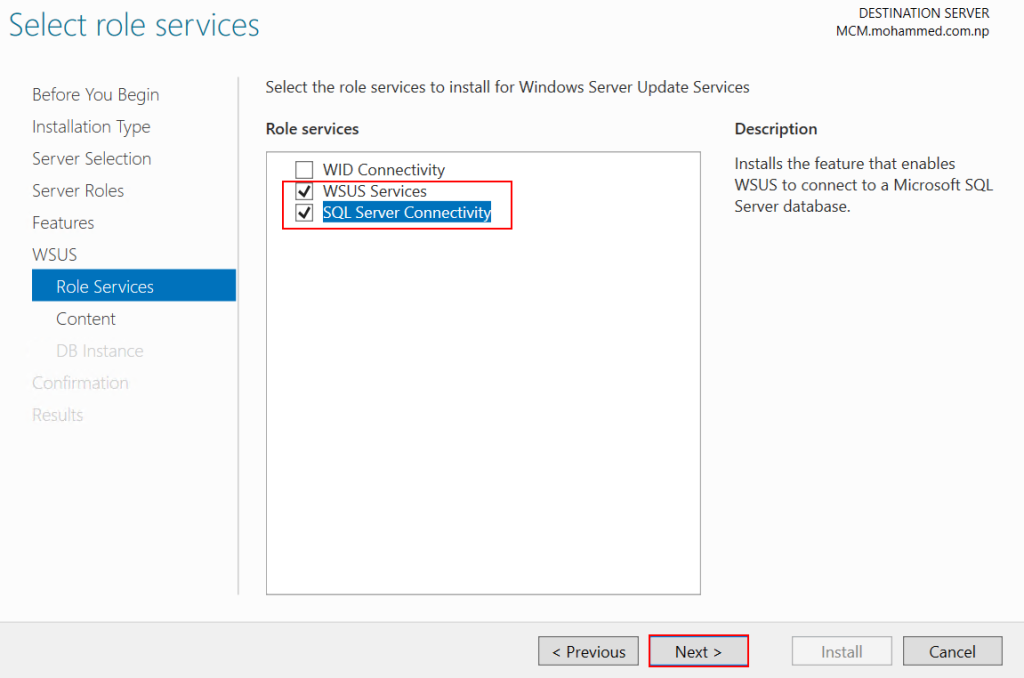
On The Role Services,
WID: this is Windows Internal Database(WID) mostly used for small business organizations. it does not require any other database, but it is free database provided from WSUS for standalone server to manage the very small type of companies. its has certain limitations like this can not be access remotely, there no direct connection between SQL server Management studio to manage the database. its likely SQL express. it is slower in compare to SQL server. this tool is not designed for Enterprise level and became unstable if WSUS meta data grows.
WSUS Services: database of WSUS will be stored in SQL server for that it creates database in SQL server. because SQL server is use by MECM server it requires a dedicated database server.
SQL Server Connectivity: because MECM/MCM manages hundreds/ thousands of the updates and regarding dotnet framework and system updates that requires a database which can handle the large number of data in a faster way also remotely accessibility available. As MCM server have more than 400 reporting templates which can be handles using SQL server smoothly.
Hence, i will be using WSUS Services with SQL Server Connectivity together to communicate with MCM server.
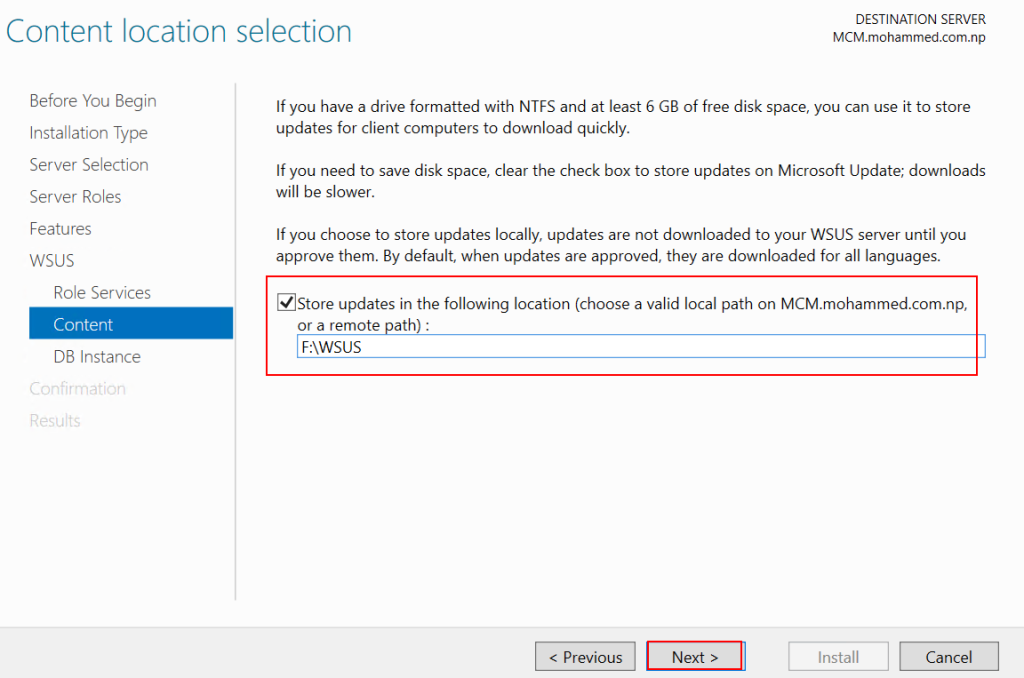
On Content Tab, provide the location WSUS server will download the contents from the Microsoft Upstream. i will provide F:\WSUS path to download and store.
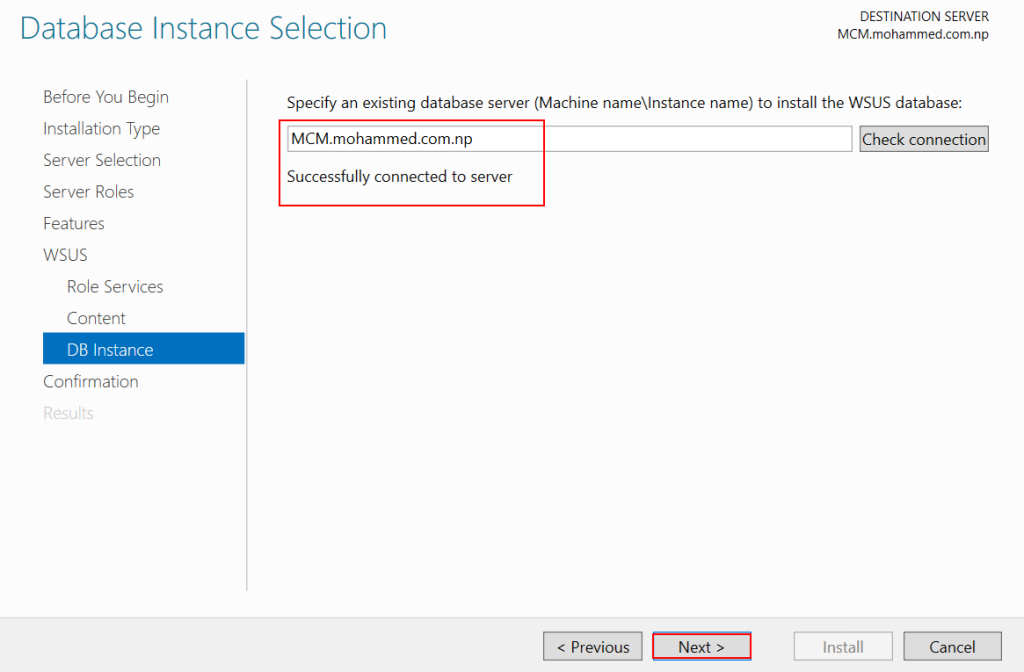
As we have already install the SQL server as database server will provide the database server address to communicate with SQL server with WSUS tool. provide the name of the MCM server with domain name and check on Check connection. alert received “Successfully connected to server” once connectivity succeeded, click Next for further.
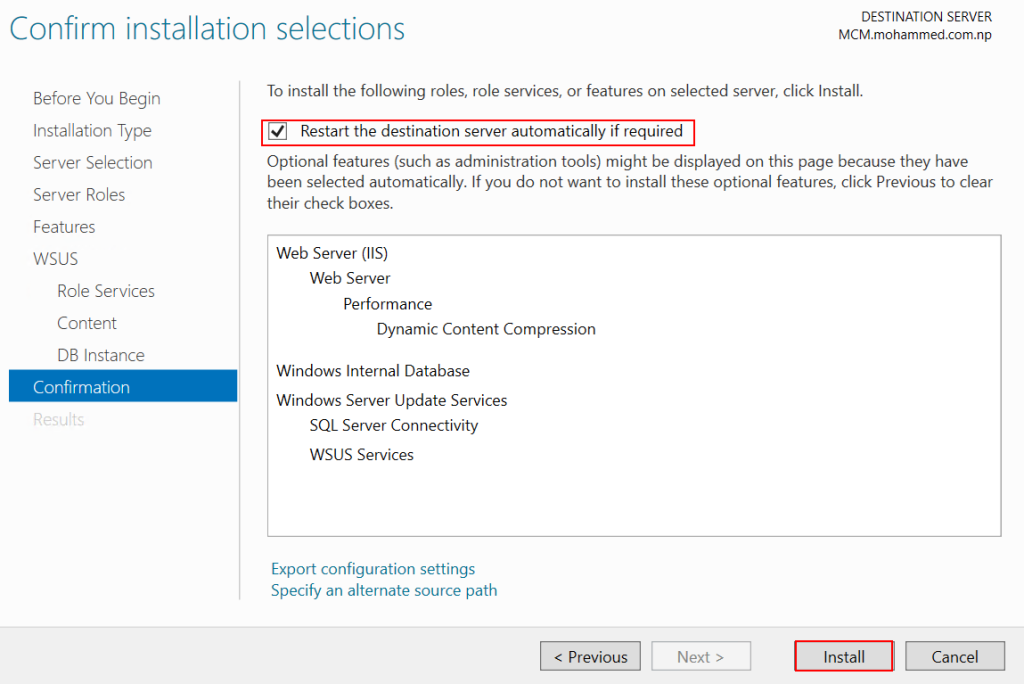
now, we are ready to install the WSUS service which includes IIS and web server. also check on “Restart destination server automatically if required“. and Install.
Your can Export Configuration setting to use in CLI by click on “Export configuration settings“
wait few minutes to get installed the WSUS roles in MCM server, it may be very depending on internet or disk can be also attached to install from the disk media.
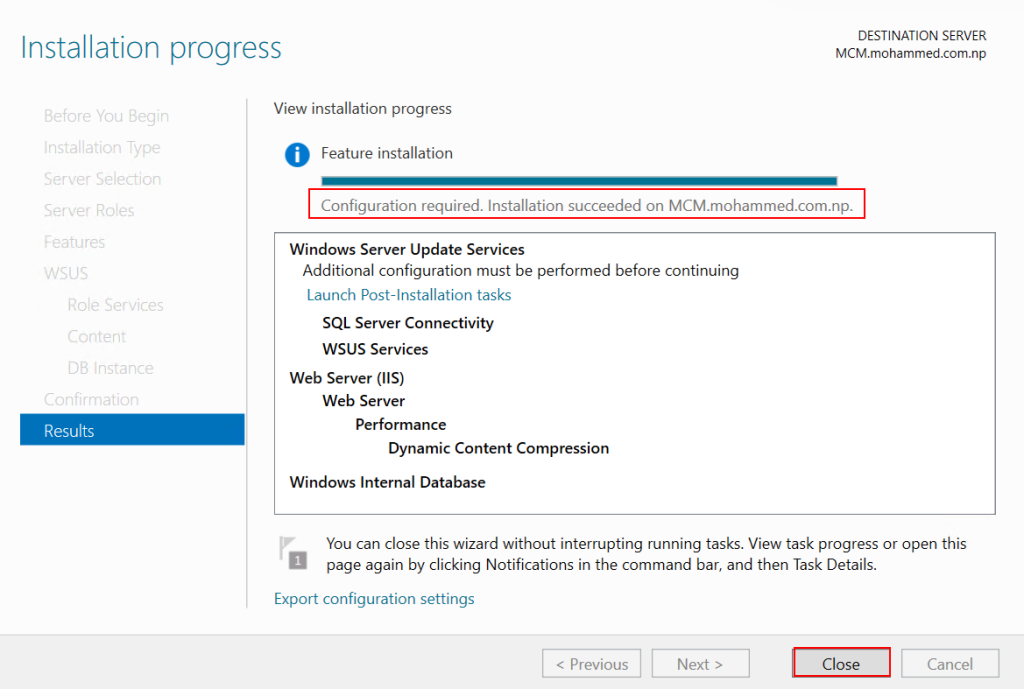
Once role get installed in the server, it need to configured to make ready to use by MCM server.
Restart Computer before run “Lunch Post-Installation tasks”
once computer restarted Click on Launch Post-Installation tasks. this may take 1-3 minutes to configured. just wait check the task section if the work is in progress or not.
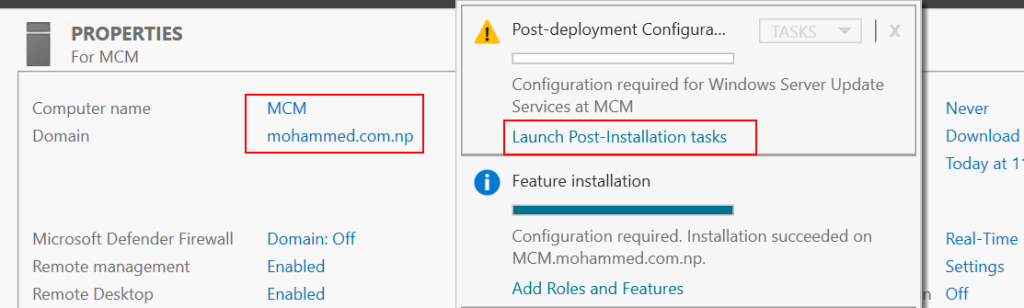
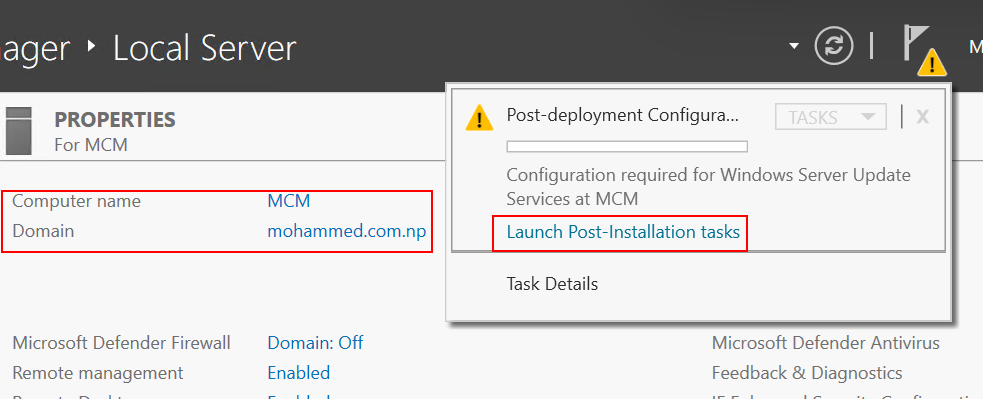
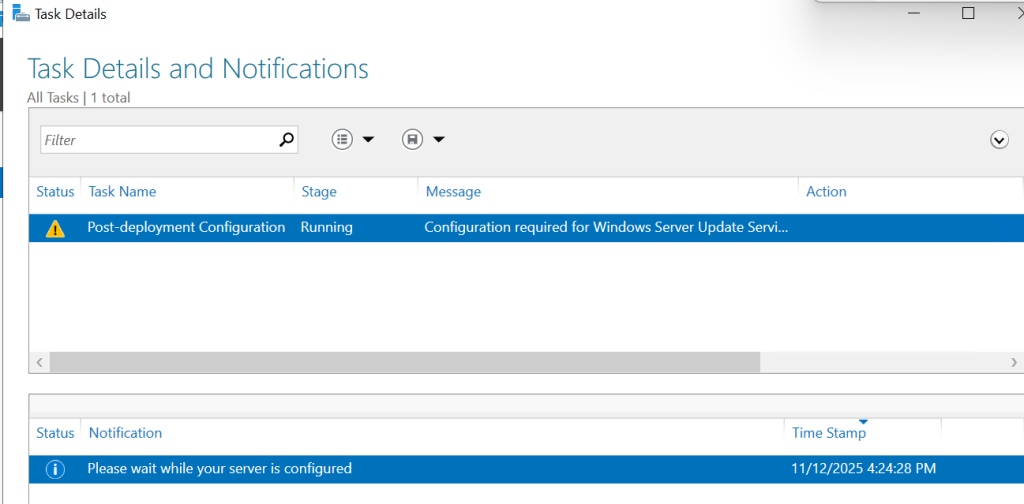
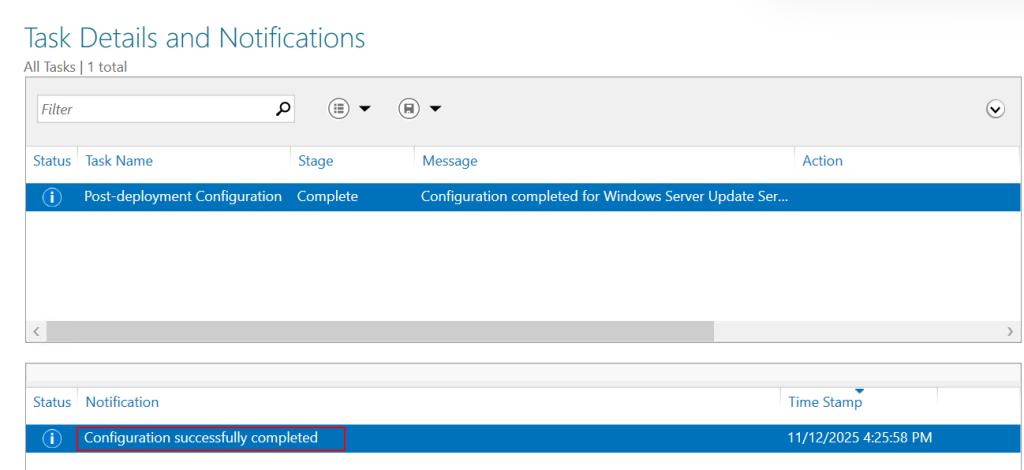
Open Task Details and Notifications and check Post-deployment Configuration is completed. that`s it you need to required to do for WSUS configuration. In my console configuration successfully completed.
that`s it.
Conclusion!
In this article, i have explained the details how to install and configure WSUS for the MCM server. also there are explanations of choosing SQL compared to WID for the viewers review. In the next article i will be explaining details and step by step installation of MCM/MECM server.