In our previous article i have explained Upgrade MECM/SCCM Version to 2509, Where i have showed you each step configuration with logs to upgrade to 2509 which is current latest branch. In the Article i will be guiding you to troubleshooting one common problem we get during branch upgrade. Few months back i have received new version of configuration manager version 2503, downloaded the packages and checked in start checking prerequisites and it got stuck on the same state. I have waited for 3 days and status is still the same and could not install or move forward for the upgradation.
Here i will be explaining how did i resolved the issue and again installed . Most common reasons to gets stuck are SQL permission check, Antivirus, WSUS eror or SUP problems. while verifying the reason from all those i have followed few steps.
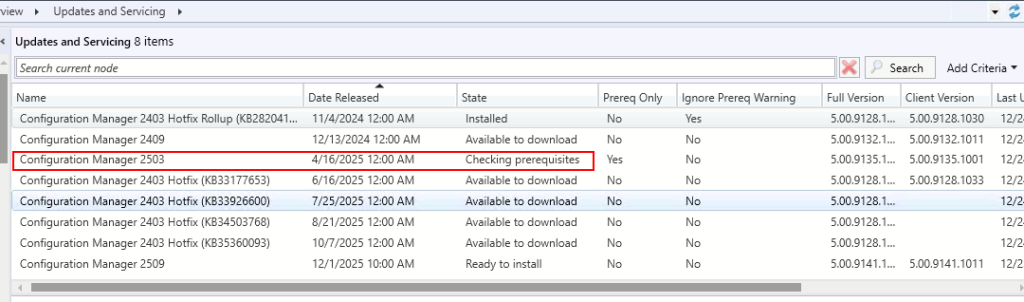
Go to Console -> Administration -> Overview -> Updates and servicing -> check version and note the released date of the version. Here is the details
| Name | Date Released | State |
| Configuration manager 2503 | 04/16/2025 | Checking Prerequisites |
Open SQL Server Management Studio
Connect database server and Open Query from the database name starts with CM_YourSCCMDatabaseName. in my case name is CM_TOG
the administrator need to check the records available on table CM_UpdatePackages which contains all available updates. run below command
select * from CM_TOG.dbo.CM_UpdatePackages
order by DateReleased
After running the SQL query which released the output as below.

After getting results compare the date of the package from which was stuck in checking Prerequisites at both side in console and database result. now we need to delete the record from the database specifically this GUID of the package.

After finding and confirming the packages date administrator needs to delete this record from the database table. your package name may differ from this GUID. Here are details
Database Name: CM_TOG (Replace Your database Name)
Database Object Name: CM_UpdatePackages
Package Guid: 3B7D84FA-ECCC-4EA0-B8AB-ABBDA1E88E0E (Replace Your package Guid)
DELETE
FROM CM_TOG.dbo.CM_UpdatePackages
WHERE PackageGuid = '3B7D84FA-ECCC-4EA0-B8AB-ABBDA1E88E0E';
After making correct syntax run the query which will deletes the record from the database.

Again i am verifying the same package immediately after deleting and package do not exists in the database anymore.

Go to SCCM console and refresh the page and click on Check for Updates from the console.
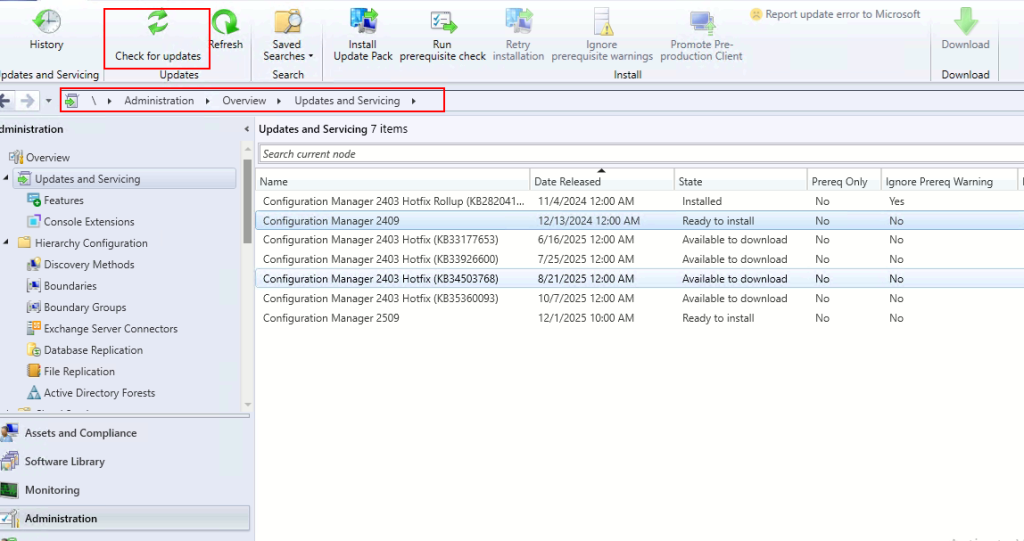
for more verification you can verify from log as well log name dmpdownloader.log from sccm logs, which is ok and do not have any error. wait few minutes

after waiting 2-10 minutes, refresh the page and as you can see the same package which was stuck on checking prerequisites is now Available to download.
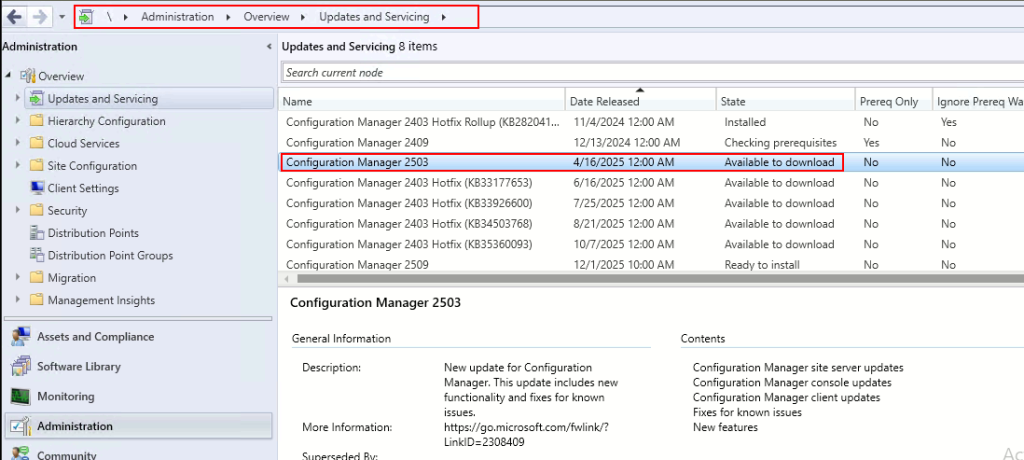
| Details | Name | Date Released | State |
| Previous State | Configuration Manager 2503 | 4/16/2025 | Checking Prerequisites |
| Current State | Configuration manager 2503 | 4/16/2025 | Available to download |
That’s it!
In the current page you learned to resolve the issue package stuck in “Checking Prerequisites”. where first find the stuck package name, delete from the database and finally check for update again to get appeared in the console.
was this article helpful and enjoyed reading ? leave your comments below in the comment section.